Version history
Endra Studio saves a version of each document automatically about every 30 minutes of writing, and whenever you return after a break; save one manually whenever you want a checkpoint.
Plan: Writer and Studio (free during the beta). See Plans and billing.
Every document keeps a history of versions you can look back at or restore.
When versions are created
Your writing itself saves continuously as you type. Versions are checkpoints on top of that, and they’re created two ways:
- Automatically, every 30 minutes of writing. The first save after 30 minutes have passed since the last automatic version captures the document as it stood before your new changes. Come back after a break and you get one right away; write straight through and you get one about every half hour.
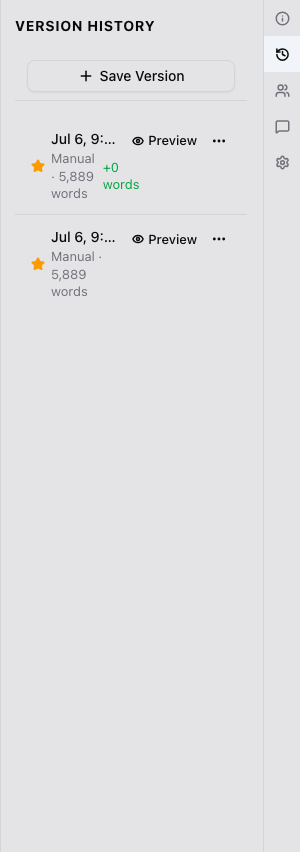
- Manually, whenever you want. Select Save Version at the top of the Versions panel to capture the document exactly as it is right now. Manual versions are never trimmed; only automatic ones are, oldest first, once a document reaches your plan’s cap.
Opening version history
Open the document’s info panel and select the Versions tab to see every saved version, newest first. You can rename a version to mark why it matters, or delete ones you no longer need.
Previewing a version
Select any version in the list to preview it without leaving the document you’re currently in. Nothing changes until you explicitly restore it.
Restoring a version
Once you find the version you want, select Restore. This replaces the current content with that version, but your current content is itself saved as a new version first.
Versions need a connection
Saving and restoring versions isn’t available while you’re offline. Your writing itself still saves on your device and syncs when you’re back online.
Related
Was this helpful?
Thanks for letting us know.