Exporting to .docx
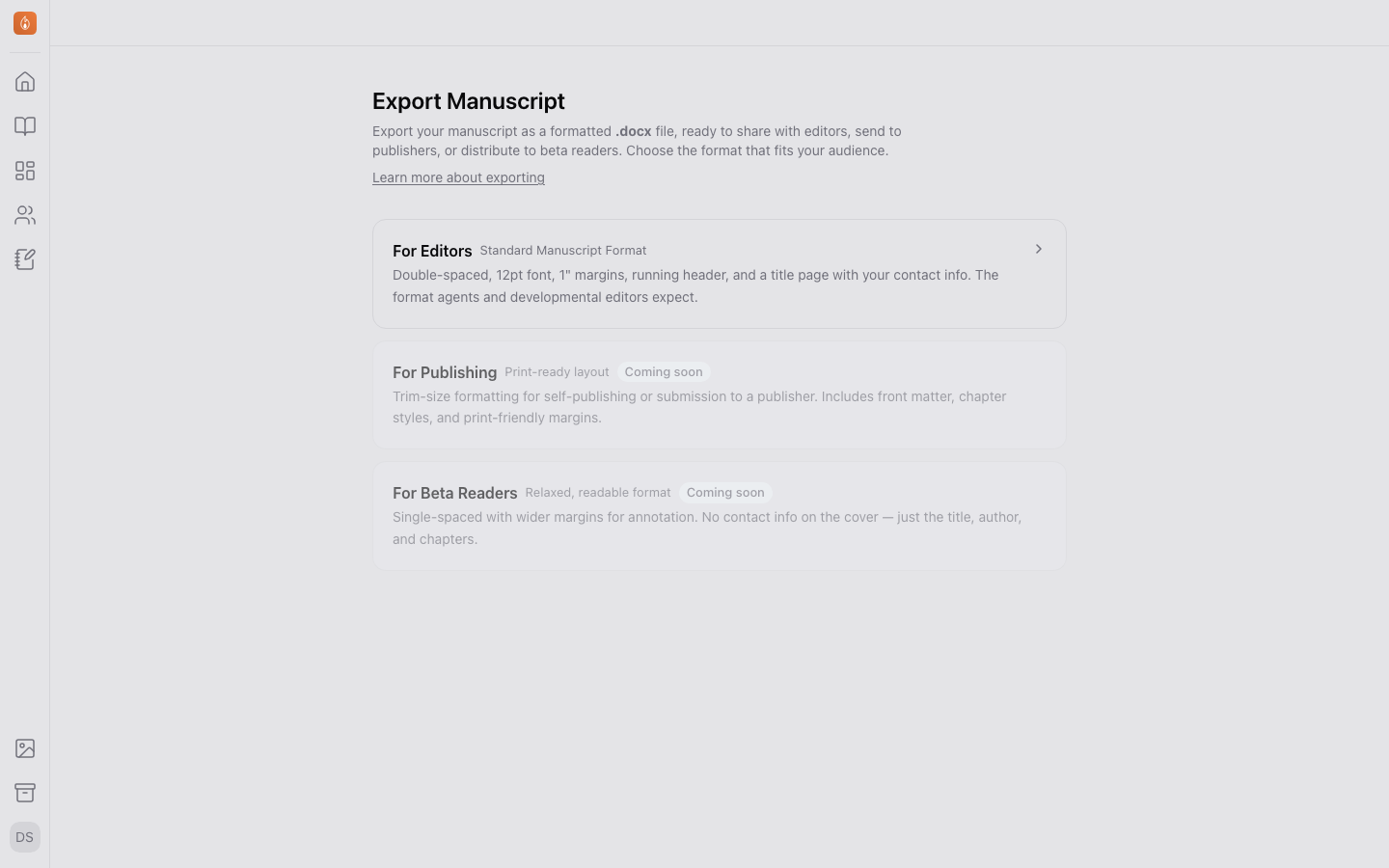
Export your manuscript as a Word document in Standard Manuscript Format, with chapter page breaks and a title page built from your author profile.
Plan: Writer and Studio (free during the beta). See Plans and billing.
When it’s time to send your manuscript somewhere that expects a Word document (an editor, an agent, a submission portal), an Editors export makes one. It keeps its options and every file you make from it, so making the next draft’s file is one click.
Exporting
- From your project’s home page, on the Settings tab, under Backups & export, select Export beside Export Manuscript.
- Select New export (with no exports yet, the choices are already showing), choose For editors, and in a series choose the book. Then select Create export. (Ebook and Print book make a store-ready EPUB or print PDF instead. See Format your book.)
- Pick your options. They save as you change them.
- Select Make Word file.
The file includes your full manuscript in reading order, with chapter breaks as page breaks and formatting (bold, italics, headings, and lists) preserved. Passages, like an epigraph or a letter, come through as plain indented blocks.
Every file you make is kept under Files, newest first, and counts toward your storage. Select Download to get one again, or remove one to send it to the Archive. The newest is marked Out of date once you change an option after making it. To send the next draft, open the export from the Export page and make the file again.
Export options
- What to export: in a series, one book or several, in the order you choose.
- Font and page size: choose the typeface and paper size the document uses.
- Title page: includes your name, contact details from your author profile, and word count. Show on title page decides whether your email, phone, and address appear.
- Embedded images: off by default, since most submissions expect text only. Turn it on to embed your manuscript’s images in the document.
Standard Manuscript Format
An Editors export uses Standard Manuscript Format, the layout agents and developmental editors expect: double-spaced, 12pt, one-inch margins, indented paragraphs, and a running header.
Exporting isn’t available while you’re offline.
Related
Was this helpful?
Thanks for letting us know.