Passages: epigraphs, verse, letters, and text messages
Mark a stretch of text as a blockquote, epigraph, verse, letter, or text message, and each style gives it its own look when you format your book.
A Passage marks a stretch of your manuscript as what it is: a blockquote, an epigraph, verse, a letter, or a text message. When you format your book, each style gives every kind its own look in both the EPUB and the print PDF.
Mark text as a Passage
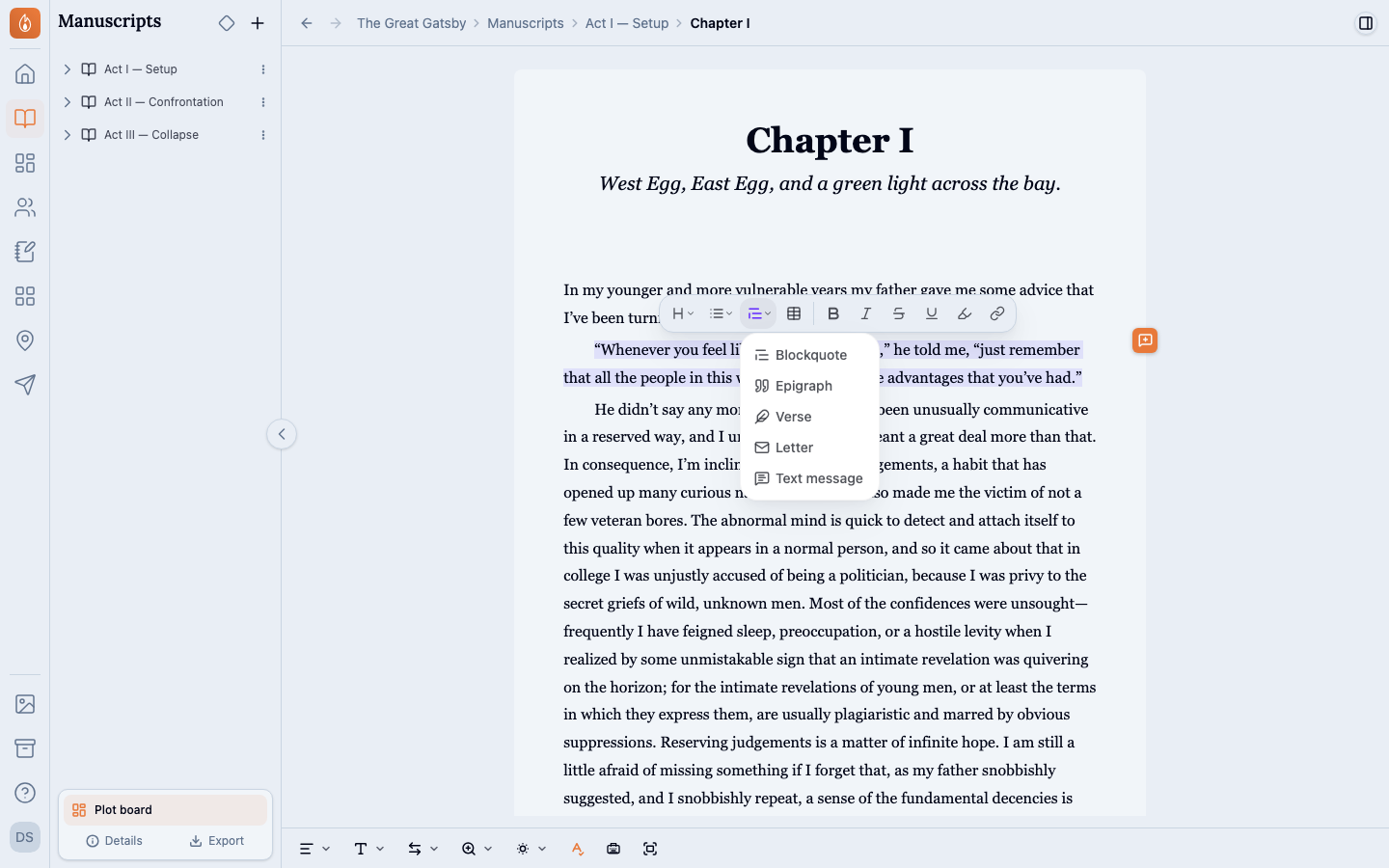
Select the text, open the Passage menu in the selection toolbar, and choose a kind. On an empty line, you can also type / and choose a kind from the menu, then write inside it. In the editor, a Passage is a box with its kind at the top.
Switch or remove a Passage
With the cursor in a Passage, the Passage menu shows its kind checked. Choose another kind to switch it, keeping the text. Choose the same kind again to unmark the whole Passage.
Choose the right kind
- Blockquote: a quotation set apart from the story.
- Epigraph: a quotation that opens a chapter or the book. Put its source on the last line, starting with a dash, and it’s set as the source. An epigraph at the top of a chapter’s first scene prints after the chapter heading.
- Verse: a poem or song, line by line.
- Letter: a letter, note, or diary entry.
- Text message: a text conversation, one message per line. Align a message to the right to mark it as sent, and it’s drawn on the sender’s side. Messages are set in your book’s own font.
Leave a Passage as you type
Press Enter on an empty line to leave a Passage and carry on writing below it. Verse works differently, because its empty lines matter. In verse, Enter starts a new line, an empty line is a stanza break, and a second empty line leaves the verse.
Where Passages show up
In a .docx export, Passages come through as plain indented blocks. Beta readers see them as indented blocks too.
Related
Was this helpful?
Thanks for letting us know.