Comments and feedback
Leave a comment on any piece of text, reply in a thread, and mark it resolved once it's addressed.
Comments let you or a collaborator leave feedback anchored to a specific piece of text, without touching the manuscript itself.
Adding a comment
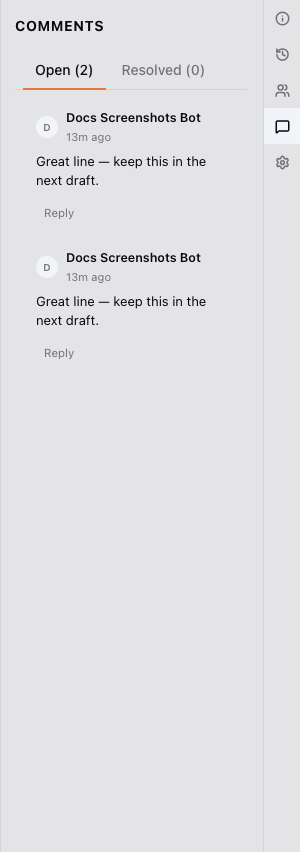
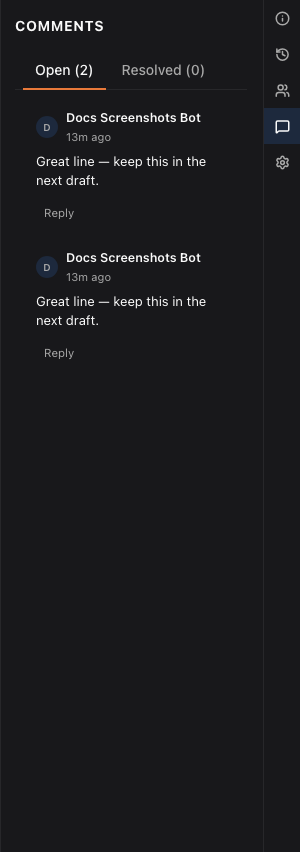
Select the text you want to comment on and choose Add comment from the selection toolbar. Every comment for the document is listed in the info panel’s Comments tab.
Seeing comments in the text: Review Mode
Comment underlines in the text only show while Review Mode is on. Toggle it from the editor toolbar: when it’s on, every commented range is underlined and clickable.
Replying and resolving
Every comment supports threaded replies. Once feedback’s been addressed, mark the comment Resolved. It stays attached to the text for reference but no longer shows as open.
Comments work offline too; they sync once you’re back online.
Who can comment
Owners and collaborators can leave and reply to comments. Editors and beta readers leave their notes on the frozen copy they were sent in a review round instead; those notes reach the manuscript when you promote them.
Was this helpful?
Thanks for letting us know.