Starting from a structure
Applying a structure writes the named beats of a known story shape into your book, in order, so a new plot board doesn't start empty.
A structure is a known story shape. Applying one writes its named beats into your book in order, so you start from a plan rather than a blank board.
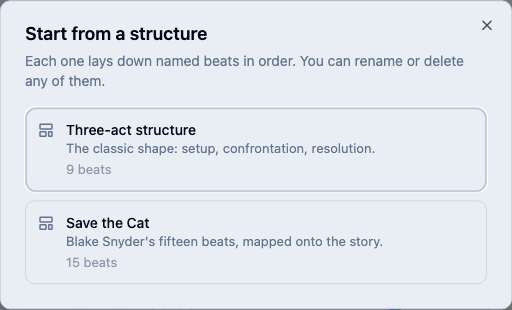
Pick a structure
You can pick a structure when you create the project, by choosing Plot template on the new project page. In a project that already exists, a book with nothing in it yet opens on a card headed Plot, and Start from a structure is its main button. Any time after that, open the ⋯ menu in the board’s toolbar and choose Apply a structure….
Two structures are built in:
- Three-act structure: setup, confrontation, resolution, as nine beats.
- Save the Cat: Blake Snyder’s fifteen beats, mapped onto the story.
What applying a structure does
It writes real beats into your book, one per slot, in the order the structure puts them. If your book has no parts yet, it lays the structure’s acts down as parts and files each beat in the one it belongs to. A book that already has parts keeps exactly the parts it has, and the beats go into those.
Nothing about these beats is special afterwards. Rename them, move them, attach them to the chapters that end up carrying them, or delete any you don’t want.
Spot the beats you haven’t written
A beat with no summary shows a dashed edge and reads No summary yet. That’s the board telling you which parts of the structure you haven’t decided on: a dashed Midpoint means you haven’t worked out what your midpoint is. Write its summary and it becomes an ordinary card.
Apply a structure to a book that’s underway
Applying a structure adds to what’s already there rather than replacing it, so a book you’ve started keeps every chapter, scene, and beat in it. Its beats spread across the parts you already have, by where each one falls in the story, and each arrives at the end of its part. Drag them into place from there.
Related
Was this helpful?
Thanks for letting us know.