Inviting editors and beta readers
Invite a reader to a draft round by email; the link signs them in, with no account or password to set up.
Plan: Studio (free during the beta). See Plans and billing.
Readers are invited per round, on the Invites tab. Enter an email address, choose a role, and select Send invitation. They get a link that signs them straight in.
Editor or beta reader
- Editor: someone giving craft notes on structure, pacing and prose.
- Beta reader: someone reading as your audience would, to tell you how it lands.
Both read the same draft with the same tools. The role changes how the invitation is worded and how the round is labelled.
Before and after sending
While a round is still being set up, nothing is mailed. Readers you add wait as “Invited on send” and all get their links the moment you send.
Once a round is out, anyone you add is mailed straight away. People who read an earlier round are listed under Your readers so you can invite them again without retyping addresses.
Seeing where everyone is
Each reader has a bar showing how far through the book they are. It turns green when they’ve sent their feedback and amber when they’ve gone quiet.
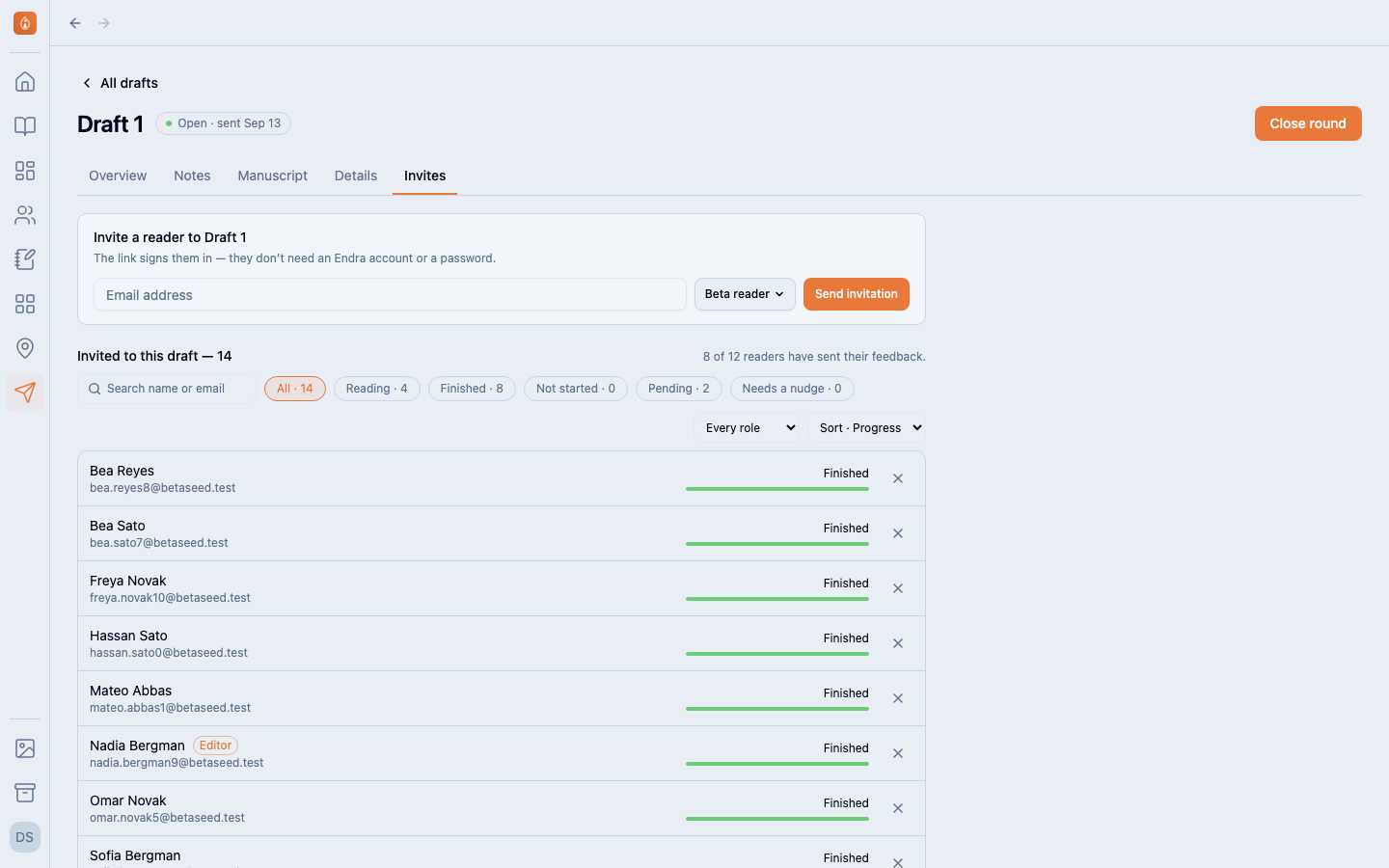
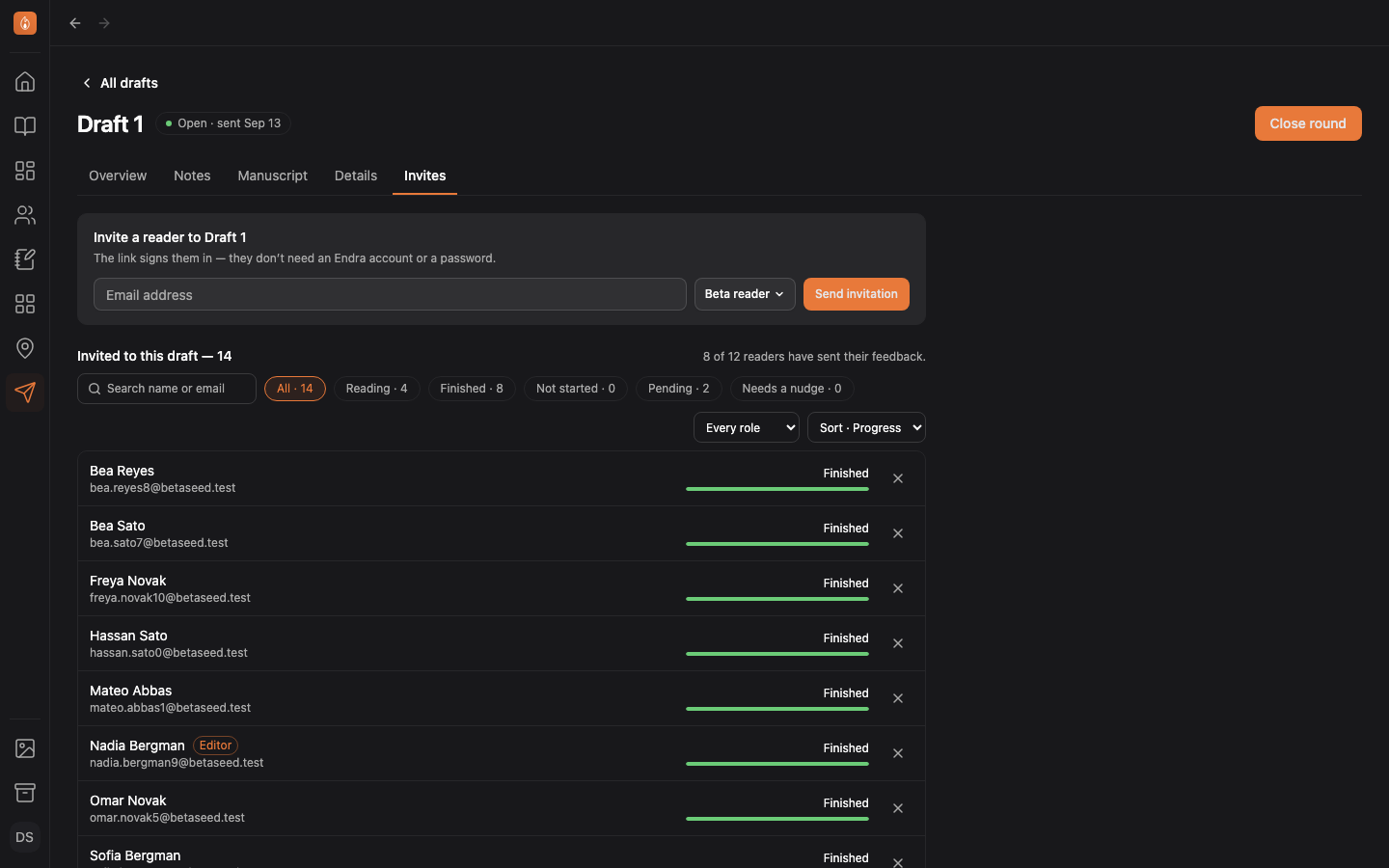
Search by name or email, or narrow the list with the chips: Reading, Finished, Not started, Pending. Needs a nudge shows readers who still owe feedback and haven’t turned a page in a week.
You see how far a reader got, never when they last read.
Remind or remove someone
Select the bell next to a reader to send a reminder. You can remind each person once every three days; the bell greys out in between.
Select × to remove a reader. They lose access to the round straight away.
Was this helpful?
Thanks for letting us know.