Document versions and backups, so you can get your work back
Keeping your work safe and recoverable is our priority.
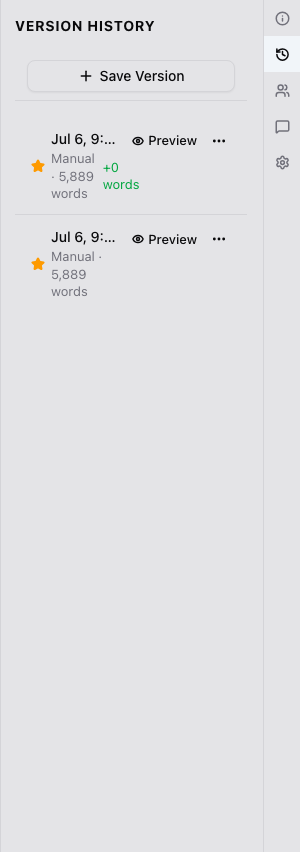
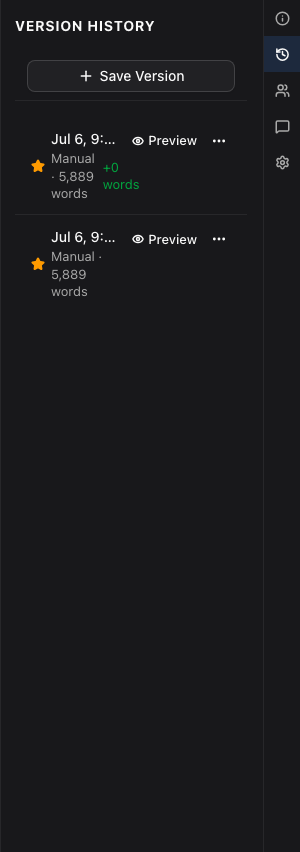
Every writing session stores a version
Write for a while and a version saves on its own, about every half hour. Save one yourself before a risky edit. Preview any version, see what changed, and restore it.
Read about version historyTake a snapshot of the book before a big rewrite
A snapshot saves every chapter of a book, or of the whole project, in one go. Restore a single chapter from it, or all of them. Sending a draft to readers takes one for you.
Read about project snapshotsSet up weekly or daily backups
With automatic backups, your projects are saved regularly without you having to remember. Choose daily or weekly intervals to ensure your work is always protected.
Read about Automatic backupsExport your project to take all of it with you
Export your project at any time as a .zip: your chapters as Markdown files, your characters, notes, boards, images, and version history. You don’t need Endra Studio to read it.
Read what’s in the exportNobody trains AI on your writing
Your project is private by default, shared only with the people you invite. Nobody trains AI models on your writing.
Read how we use AIEncrypted by default
Your project is encrypted on our servers so that only authorized parties can read it.
Read about encryptionAlso in Versions and backups
Version history, project snapshots and Automatic backups are on the Writer plan, free during the beta. Exporting the whole project is on every plan. See the plans
Questions
- What happens to my work if I cancel?
- Nothing is deleted. You move to Free when your paid period ends, and can sign in to read or export your work any time. Only a Free account nobody signs in to for 12 months may be deleted, and we email you twice first.
- Can I get a deleted chapter back?
- Yes, if you archived it: restore it from the Archive, scenes and all. A backup can also bring back a chapter you’ve deleted since, as a new one.
- What if my connection drops while I’m writing?
- Keep writing. Your words save on your device and sync when you’re back online.
Start writing, and keep every version.
Start writing free